PTx Trimble
  • Solutions
    • Solutions
    • Workflows
      • Workflows
      • Land Preparation
      • Planting & Seeding
      • Crop Protection
    • Additional Solutions
      • Additional Solutions
      • Correction Services
      • ISOBUS
      • Enterprise
  • Products
    • Products
    • All Products
    • Hardware
      • Hardware
      • All Hardware
      • Displays
PTx Trimble
  • Solutions
    • WORKFLOWS

    • ADDITIONAL SOLUTIONS

    • Overview
    • Correction Services
    • Land Preparation
    • ISOBUS
    • Planting & Seeding
    • Enterprise
    • Crop Protection
    • Sustainability
    • Nutrient Management
    • Water Management
    • Harvest
  • Products
    • HARDWARE

    • SOFTWARE & APPS

    • CORRECTION SERVICES

    • All Hardware
    • All Software & Apps
    • Correction Services
    • Displays
    • Trimble Ag Software
    • Guidance Control
    • Advisor Prime
    • Steering Systems
    • Data Warehouse
    • Flow & Application Control
    • Land Forming
    • Land Forming
    • Subsurface Drainage
    • Subsurface Drainage
  • Support
  1. How-to Central
  2. Search Results
  3. Assigning vehicle connection licenses

Assigning vehicle connection licenses

A vehicle connection license is required to use most of the features of Fleet. Vehicle Connection licenses can be purchased and assigned to a vehicle. You can tell on the Vehicles page which vehicles don’t have licenses assigned by the yellow warning icons.
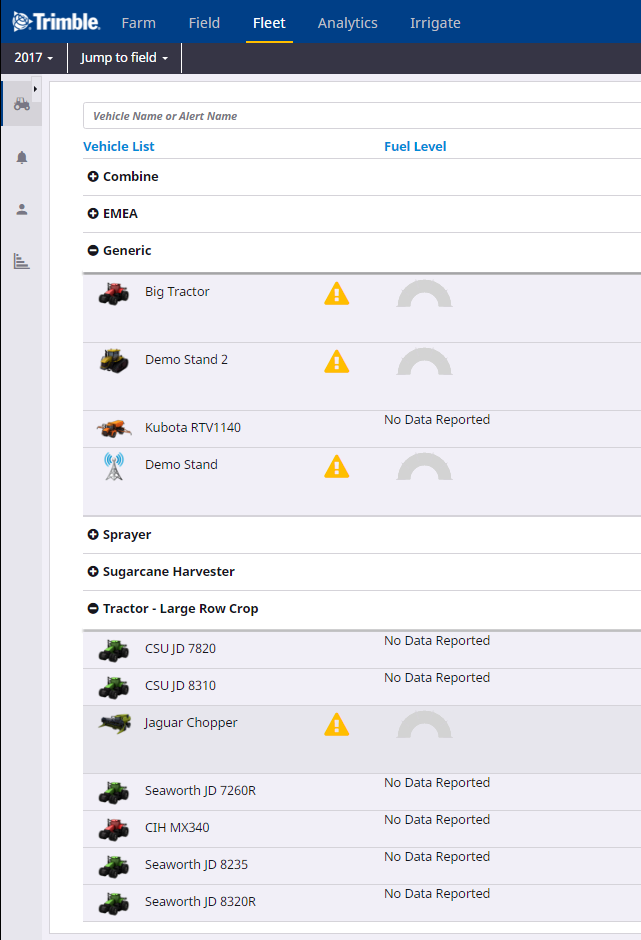
vehicles without licenses - 16

When creating a new vehicle, it will not have a Vehicle Connection license assigned and the screen will notify you if there are any licenses available to assign. If there are no licenses available to assign, contact your reseller to purchase licenses.
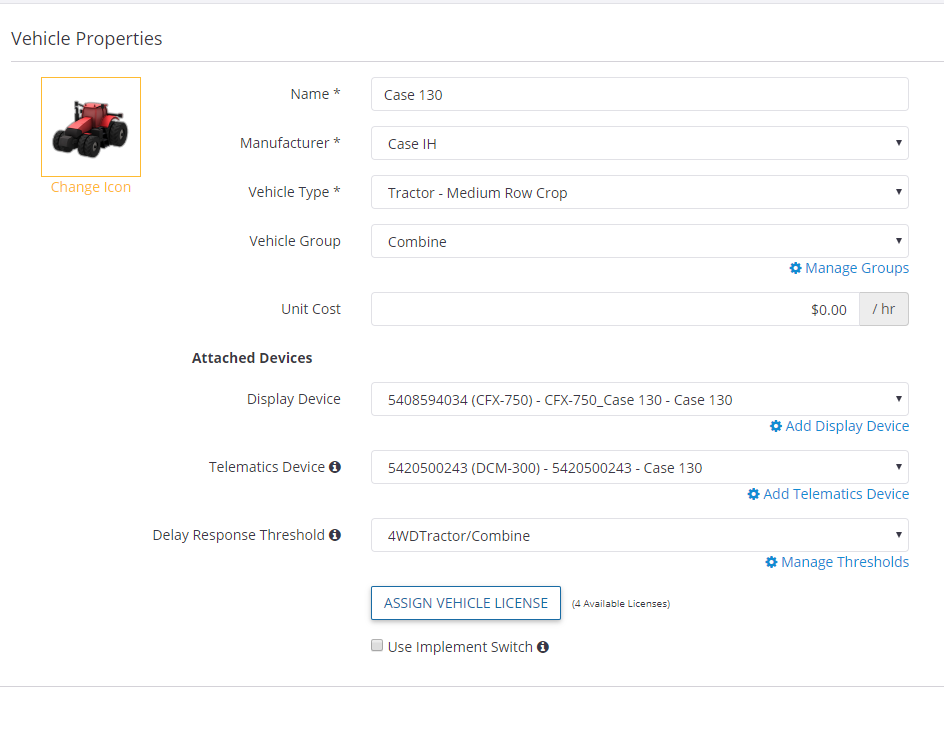
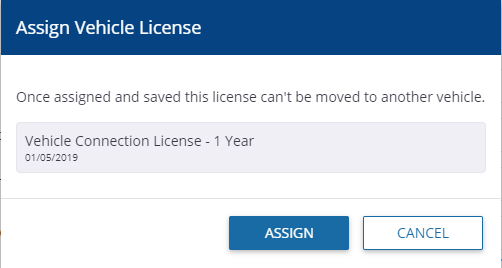
If licenses are available to assign, select the Assign a license to this vehicle check box. A window will pop up to confirm you want to assign one of your available licenses to the vehicle. Once a license has been assigned to a vehicle it can’t be moved to another vehicle.
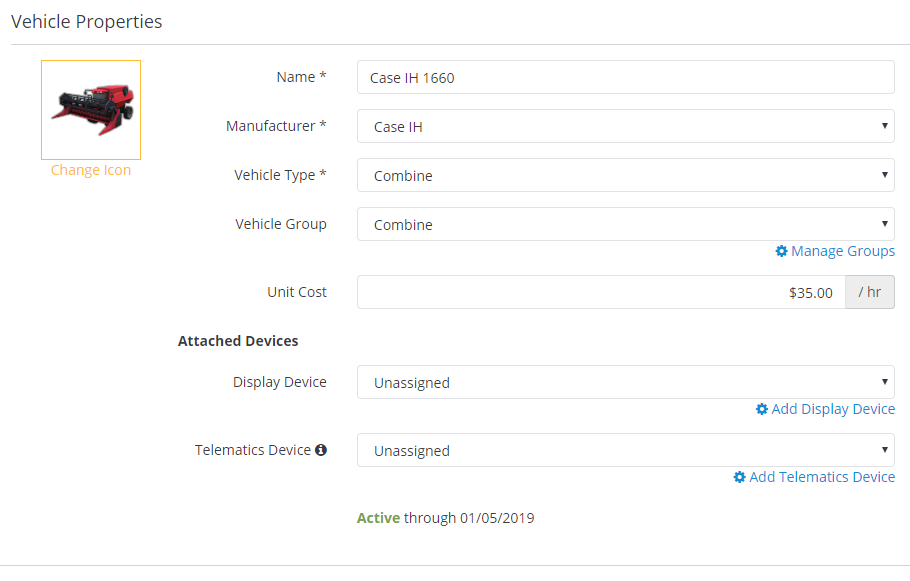
If you confirm, the vehicle will show that it has an active Vehicle Connection License by the green Active status and the expiration date:
Search How-To Central:

How-To Central Categories

Support
Get your questions answered
Authorized dealers
Locate or contact Trimble resellers
Careers
Work at Trimble
SOLUTIONS
  • Land Preparation
  • Planting & Seeding
  • Crop Protection
  • Nutrient Management
  • Water Management
  • Harvest
PRODUCTS
  • Displays
  • ISOBUS Compatible Input Control
  • Record-Keeping
  • Crop Planning
  • Yield Monitoring
  • Farm Finance Management
  • Advanced Positioning
  • Land Forming
PARTNERS
  • Support
  • How to Buy
  • Privacy Policy
  • Do Not Sell My Personal Information
SUPPORT
  • Contact Trimble
  • Resources
  • Release Notes
  • Facebook – Trimble Agriculture logo
  • Instagram – @trimble_ag logo
  • Twitter – @trimble_ag logo
  • LinkedIn – Trimble Agriculture logo
  • YouTube – Trimble Agriculture logo
Trimble Logo
© 2023, Trimble Inc.

Trimble is an industrial technology company transforming the way the world works by delivering solutions that enable our customers to thrive. Core technologies in positioning, modeling, connectivity and data analytics connect the digital and physical worlds to improve productivity, quality, safety, transparency and sustainability. From purpose built products to enterprise lifecycle solutions, Trimble is transforming industries such as agriculture, construction, geospatial and transportation.

  • Legal
  • Terms of Use
  • Terms of Sale
  • Privacy Center
  • Do Not Sell My Information
  • English